Clips
Cut a short clip from a VOD, choose who can see it, check the daily and drive limits, and edit or delete your clips.
A clip is a short cut from one VOD. Anyone can watch clips for free, guests included, and anyone signed in can download them.
Create a clip
You can clip a VOD you can watch in full. See VOD availability.
Open the clip editor
Select Clip under the VOD.
Set the range
Go to the moment you want and select Start here, then End here. Back 1s and Forward 1s fine-tune the edges, and Jump to segment start or Jump to segment end lets you check them.
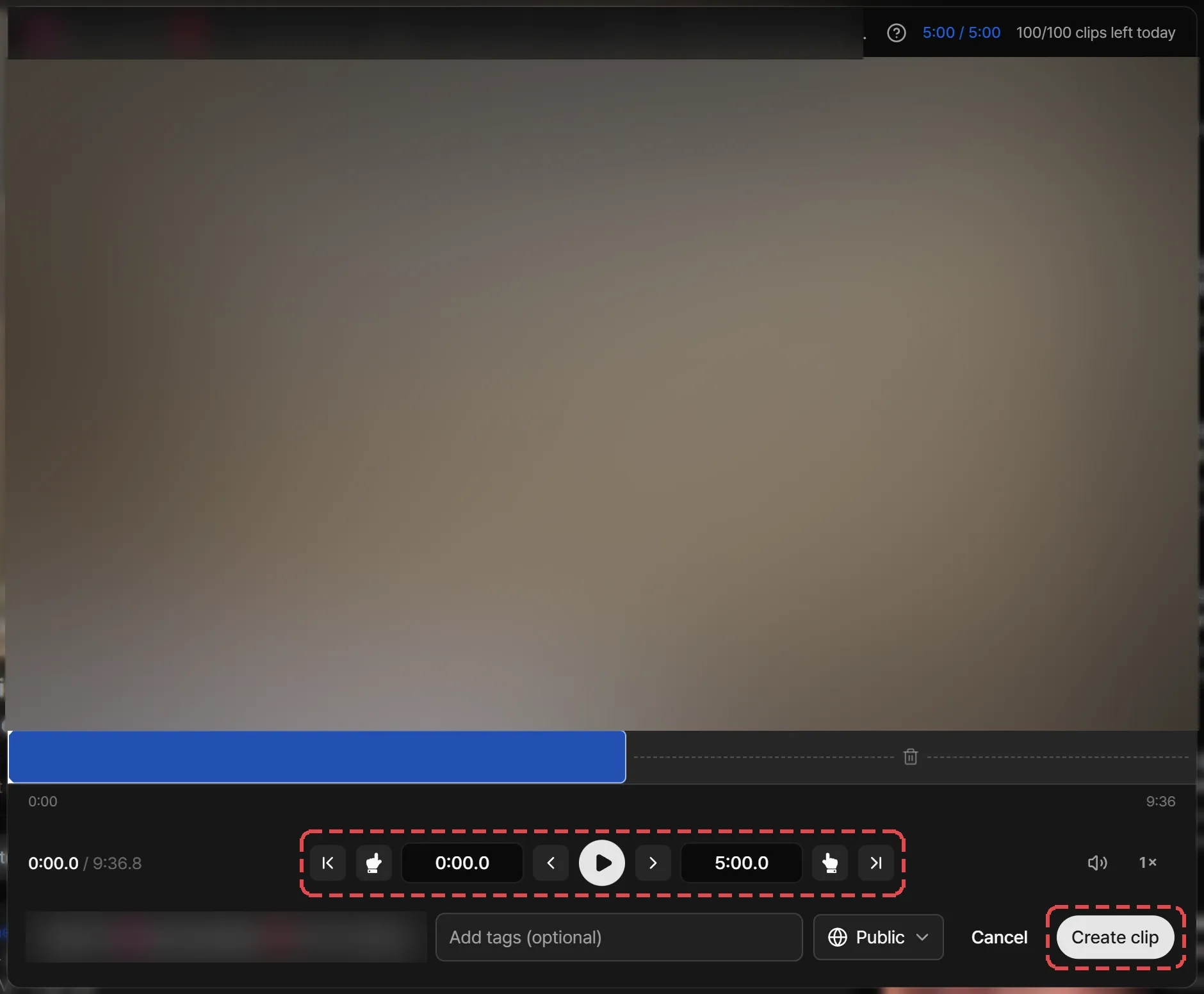
Add the details
Enter a title. Add tags if you like, and pick who can see the clip under Visibility.
Create it
Select Create clip. Streaminz opens the clip when processing finishes. Closing the page doesn’t stop it, and the progress panel in the bottom-right corner keeps track.

Visibility
| Visibility | Who can see it |
|---|---|
| Public (default) | Anyone. The clip shows in search, on the channel’s Clips tab, and under the source VOD. |
| Private | Only you. |
You can change a clip’s visibility at any time.
Limits
| Limit | Details |
|---|---|
| Daily clips | 5 on Free and 100 on Premium and Max, in a rolling 24 hours. Each clip frees its slot 24 hours after you make it, and deleting a clip frees it at once. |
| Length | Each clip has a minimum and maximum length. Your clips from one VOD also share a total length budget. |
| Drive | Each clip counts against your drive by its length. When your drive is full, you can’t make clips until you free space or add drive space. |
The editor shows how many clips you have left today and how much length remains. If you hit a limit, it names the limit, and for the daily one, when you can clip again.
Edit or delete a clip
Open the clip’s menu on its video page.
- Edit details: change the title and tags within 12 hours of creating the clip. You can change its visibility at any time.
- Delete: removes the clip for everyone. You can delete it at any time, and you can’t undo it. Removing a clip from My Drive deletes it too.
Rules for clips
A clip comes from someone else’s broadcast, so making one gives you no rights in the content. Titles and tags must follow the rules of conduct.