Your library
Keep VODs past their 14-day retention in your drive, see how clips and highlights count against it, and resume videos where you stopped.
Signed in, Streaminz remembers where you stopped in each video and resumes it there. Your drive holds the VODs you keep and the clips and highlights you make.
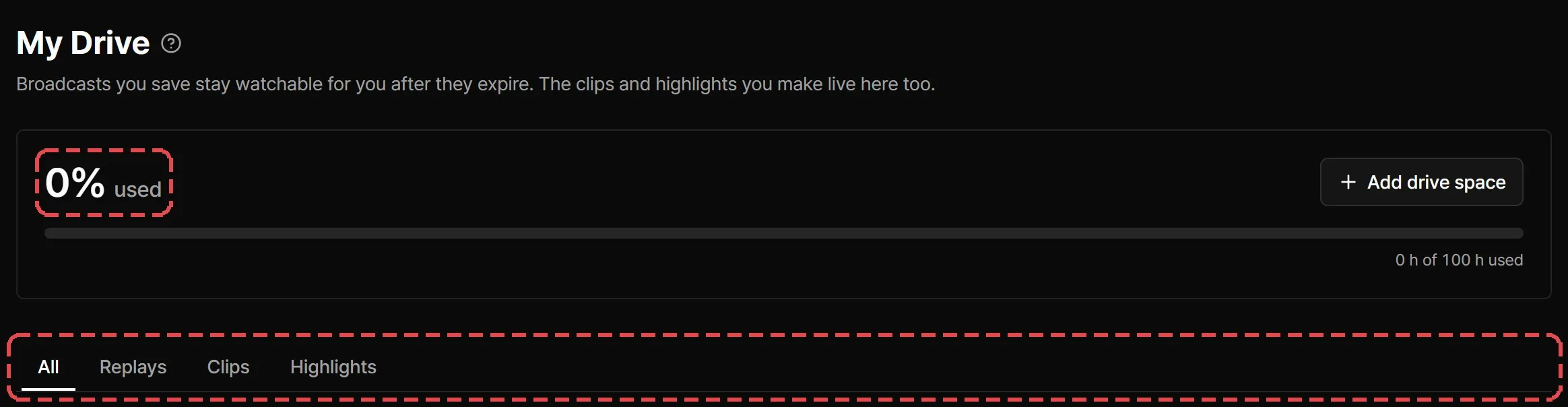
My Drive
Streaminz keeps a VOD for 14 days after it’s published. When that ends, the VOD goes private and the channel page stops listing it. Saving a VOD to your drive keeps it watchable for you after that.
On a VOD page, open More and select Save to drive, or select Save to drive on the expiry notice under the title. Select Drive in the sidebar to open My Drive, which lists everything in your drive under All, Replays, Clips, and Highlights.
You need a plan to save a VOD.

What counts against your drive
Streaminz measures your drive in hours of video. Each saved VOD counts by its length, and so does every clip and highlight you make. My Drive shows how much you use.
| Plan | Drive |
|---|---|
| Free | 1 hour |
| Premium | 100 hours |
| Max | 300 hours |
Select Add drive space to buy more with the drive add-on.
Remove from drive
Select Remove from drive on a card or on the video page.
- A VOD: you can save it again any time before it expires. Once it has expired, removing it is final, and you lose access to it.
- A clip or highlight you made: removing it deletes the video for everyone. You can’t restore it.
What happens when a VOD expires
- You saved it: it stays in your drive with an Expired badge, and you can keep playing it. Premium and Max can also download it.
- Nobody saved it: Streaminz deletes the video file after a grace period. The page keeps its title and poster, and clips and highlights made from it stay playable.
- It’s from a channel you monitor and you haven’t watched or saved it: Streaminz reminds you before it expires, so you can still save it. See Notifications.
Streaminz can still remove a saved video for the reasons in How Streaminz works. If that happens, you get a notification and the video leaves your drive.
Over capacity
If a downgrade or a smaller add-on leaves you with less drive than you use, everything stays and you can keep watching it. You can’t save VODs or make clips and highlights until you remove something or add drive space.