Watching videos
See who can watch a VOD, how previews work, use the player and chat replay, resume where you left off, and set how sensitive content shows.
VOD availability
Clips and highlights are free for everyone, guests included. A full VOD depends on your plan:
| You are | Full VODs you can watch |
|---|---|
| Signed out | None. Select Log in to keep watching. |
| Signed in without a card | None. Select Register a card to start Free. A small hold checks the card and is released right away. |
| On Free | Broadcasts of a channel you monitor that started after you started monitoring it. Monitoring a channel now unlocks only its future broadcasts. |
| On Premium or Max | Every VOD, including broadcasts from before you started monitoring. |
See Plans and Monitoring channels.
Previews
When you can’t watch a whole VOD, Streaminz plays a 10-minute preview around the moment with the most viewers. The player still shows the full length, but the rest stays locked. When the preview ends, the player names the one step that unlocks the VOD for you, like logging in, registering a card, or upgrading.
Expiring VODs
A VOD stays up for 14 days after it’s published. Until then, a notice under the title shows the date it’s deleted, with Save to drive to keep it. After that, only members who saved it can play it. See My Drive.
The player
| Control | What it does |
|---|---|
| Theater mode | Widens the player. This browser remembers the setting and your volume. |
| Chapters | Marks each point where the broadcast title changed. Sync to video follows playback. |
| Seek previews | Shows a thumbnail when you hover over the progress bar. |
| Settings | Ambient light and Playback speed. |
| Fullscreen | Fills the screen with the player. |
| Right-click menu | Loop, Picture-in-picture, Copy video URL, Copy embed code, and Stats for nerds. |
| Not recorded | Listed in the video’s details when part of the broadcast is missing. See Why a VOD can have gaps. |
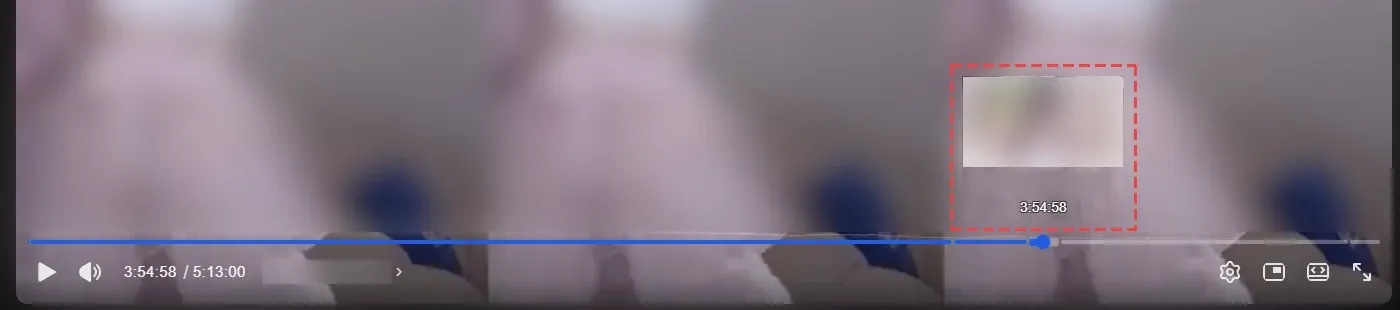
Every plan plays the same recording, at the broadcast’s own quality.

Chat replay
Signed in, a VOD you can watch in full shows the broadcast’s live chat in a Chat replay panel beside the player, donations included. Turn on Follow playback to keep the chat in step with the video, and select Hide chat or Show chat to toggle the panel. VODs recorded before Streaminz collected chat have no panel.
Resume where you left off
Signed in, Streaminz saves your position as you watch. Video cards show a progress bar, and Streaminz resumes the video where you stopped.
Sensitive content
Streaminz rates each video by its most sensitive moment:
| Level | Content |
|---|---|
| General | Suitable for anyone. |
| Suggestive | Unsuitable for children, like sexual themes, violent or gory scenes, drinking, or smoking. |
| Nudity | Nudity and sexually explicit scenes. |
Broadcasts the platform flags as adult count as Nudity on PandaLive, Chaturbate, and Stripchat, and as Suggestive elsewhere. Chaturbate and Stripchat are adult-only, so their channels show only when your setting allows Nudity.
Your Sensitive content setting decides how each level shows:
| Setting | Suggestive | Nudity |
|---|---|---|
| Off (default) | Blurred | Hidden |
| On | Shown | Blurred |
| 19+ | Shown | Shown |
Hidden content stays out of feeds, search, and related videos. Change the setting in account settings. Signed out, you can pick a setting too, but it stays in this browser only, and feeds and search follow the Off rules until you sign in.
When you open a blurred video, select Watch this once, or Always allow to switch to the setting that shows it. Only viewers 19 or older can watch a hidden video, and it offers only Always allow, which switches you to 19+.
Region restriction
Some US states require age verification for adult content. Visitors from those states can’t play Nudity videos, whatever their setting. These videos show Unavailable in your region, and Learn more explains why. General and Suggestive videos play as usual.
Ads
Free members and signed-out visitors see ad banners on the home, watch, and channel pages. Premium and Max have no ads. Streaminz shows no ads to browsers that send Global Privacy Control or to visitors from the EEA, the UK, or Switzerland.