Canceling and resuming
Cancel a paid plan, keep its benefits until the cycle ends, move to Free, and resume before then. Payments are non-refundable.
You can cancel a paid plan or a Premium trial. The Free plan has no billing, so it has nothing to cancel.
Cancel your subscription
-
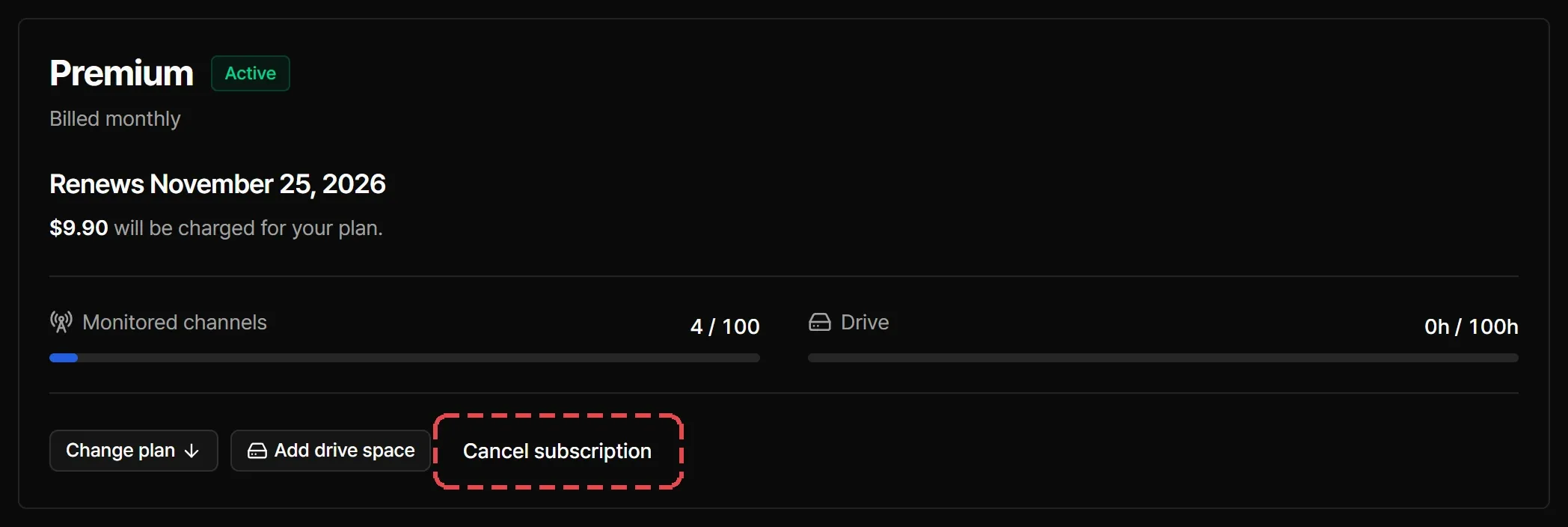
In Dashboard > Subscription, select Cancel subscription.
-
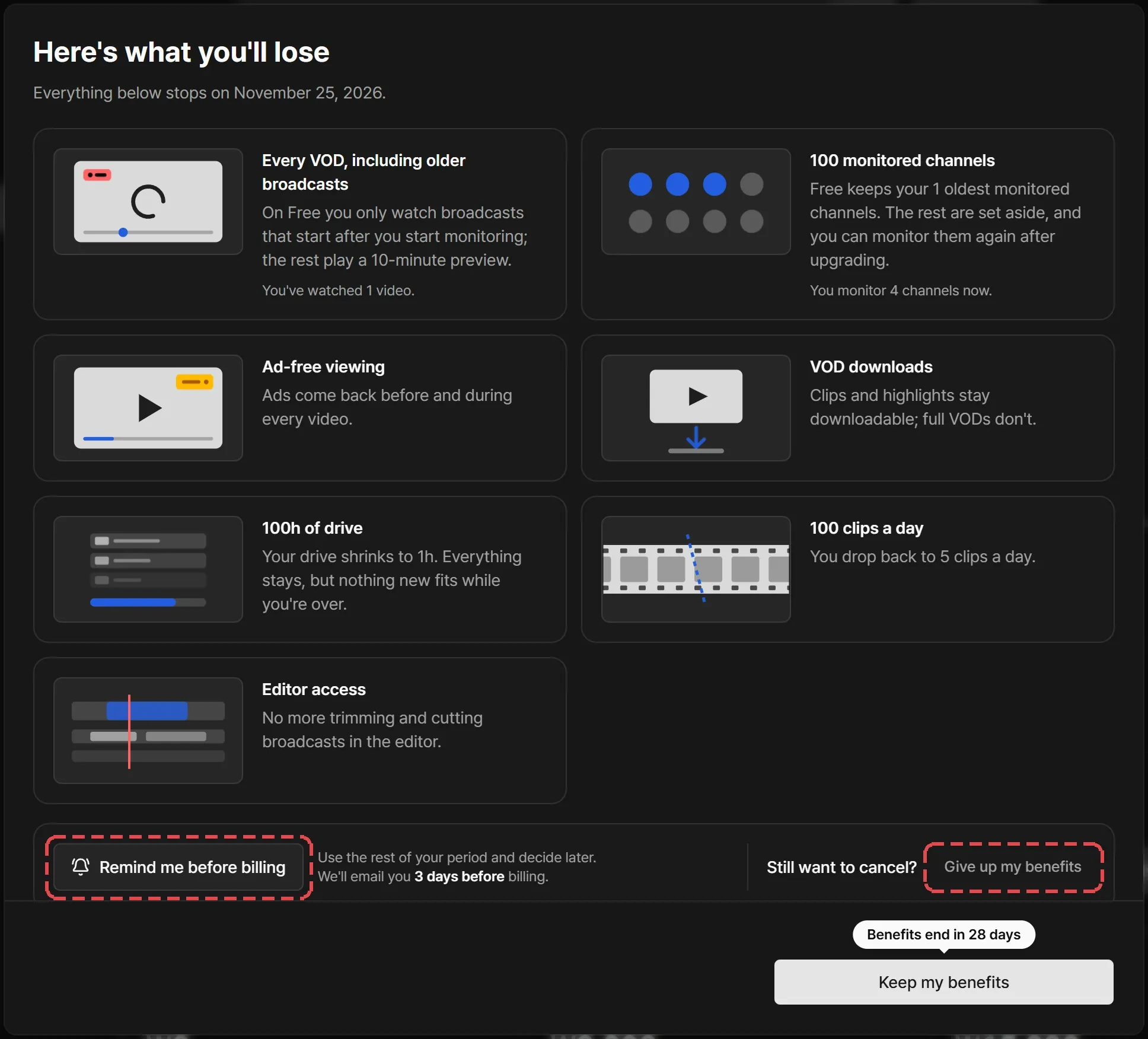
Here’s what you’ll lose lists the benefits that stop and the date they end. To decide later, select Remind me before billing and Streaminz emails you before the next charge. To go on, select Give up my benefits.
-
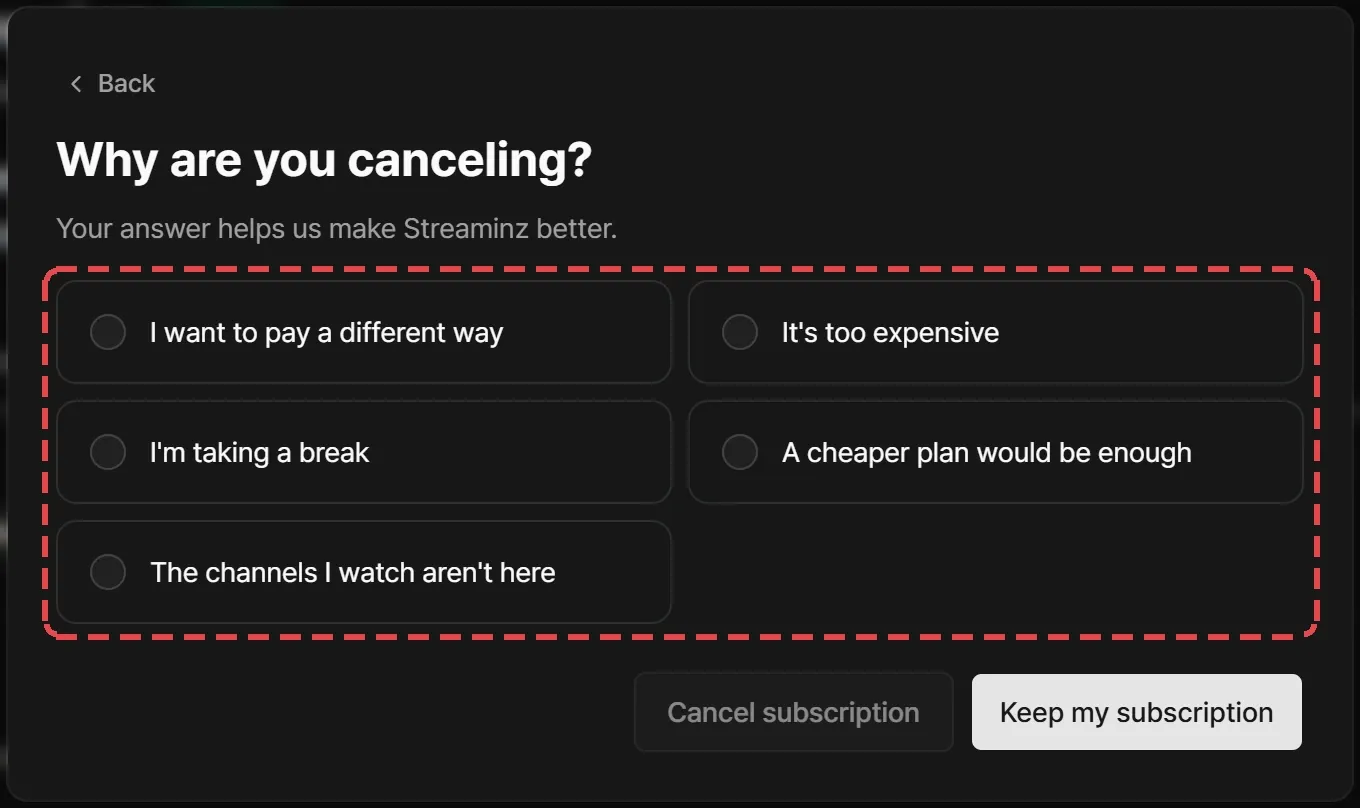
Under Why are you canceling?, pick a reason and select Cancel subscription.
-
Depending on your reason, Streaminz may suggest another way to keep your plan, such as changing your card, changing your billing cycle, or a discount on upcoming renewals. Select Cancel anyway to go on.
-
Confirm that you understand, and select Schedule cancellation.
Streaminz turns off renewal. You keep every benefit until the current cycle ends, then you move to the Free plan with no further charges.
Resume
Select Resume subscription before the cycle ends. Your plan and billing dates stay the same, and renewal turns back on.
After the plan ends
With a registered card, your subscription becomes the Free plan:
- You keep your oldest monitored channel. The others move to Set-aside channels in Dashboard > Monitoring. See When the new plan has smaller limits.
- You watch only VODs of broadcasts that start after you start monitoring a channel. Other VODs play a 10-minute preview.
- Ad-free viewing, VOD downloads, and the highlight editor stop.
- Your drive shrinks to 1 hour. Everything in it stays, but nothing new fits while you’re over.
- You can subscribe again at any time.
Refunds
Payments are non-refundable. That covers unused time, cancellation, downgrades, reduced extra drive, and broadcasts Streaminz didn’t record. See Cancellation and no refunds.
If you think Streaminz charged you by mistake, email contact@streaminz.io within 30 days of the charge.