Payment methods
Register, change, or remove your card or payment method, see how Streaminz checks it, and what happens when a payment fails.
Stripe processes Streaminz payments, and Streaminz never sees your full card number. Manage your payment method under Payment method in Dashboard > Billing. You can register one payment method at a time.
Accepted payment methods
Stripe’s page shows the methods available where you are. They include:
- Cards: Visa, Mastercard, American Express, JCB, UnionPay, Diners Club, Discover, Cartes Bancaires, and eftpos.
- Wallets: Apple Pay, Google Pay, Samsung Pay, and Link.
- Korean payment methods: Korean cards, Kakao Pay, and Naver Pay. Streaminz charges these in Korean won.
See Prices and currency for the currency of each charge.
Add a card
Select Add card and enter your card on Stripe’s page. Registering a card starts your Free plan. See Start the Free plan.
Card verification
When you register or change a card, Streaminz places a small temporary hold on it to check that it works, and releases the hold right away without charging you. Korean payment methods don’t support holds, so Streaminz charges the small amount and refunds it right away instead.
Change your card
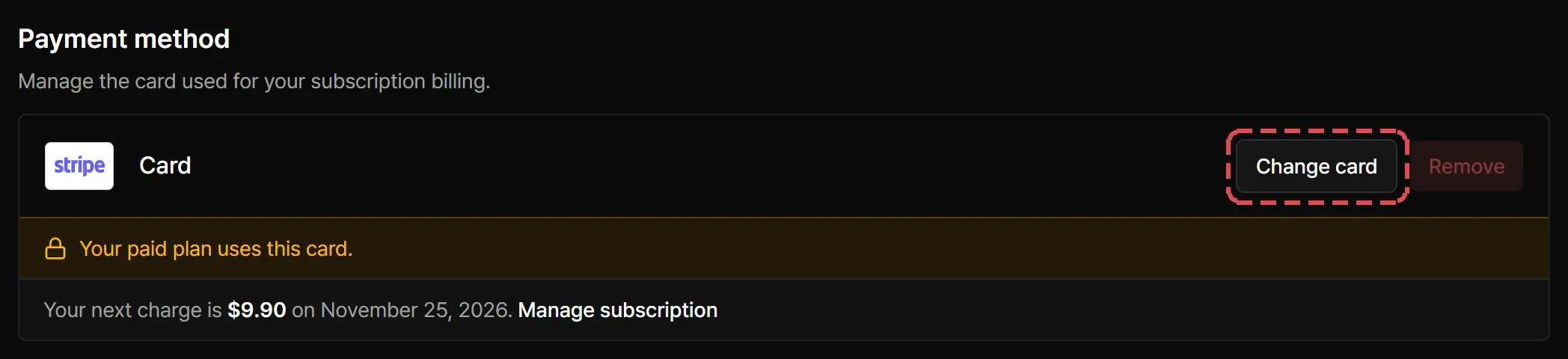
Select Change card, then Continue to Stripe, and enter the new card. If the new card is declined during verification, Streaminz keeps using your previous card.
Remove your card
On the Free plan, select Remove. You keep the Free plan, but the Premium trial and paid plans need a card again.
While a paid plan uses your card, including a canceled plan that hasn’t ended, you can change it but not remove it. You can remove it after the plan ends.
Failed payments
When a plan charge fails:
- Your subscription shows Payment failed, and Streaminz emails you.
- Streaminz retries during a grace period. You keep your benefits meanwhile.
- Change your card to fix it. Streaminz retries the charge automatically.
- If the payment still fails, your paid plan ends and you move to the Free plan.
A Premium trial that can’t renew moves to Free at once, with no grace period.
If no card is registered when a paid plan fails, for example a plan from a redeem code, the subscription expires instead. You have no plan until you register a card, and Streaminz removes the VODs you saved from your drive. Clips and highlights you made stay.
If only an extra drive payment fails, only the extra drive ends.